
Event Calendar Plugin for Joplin
This is a plugin for the Joplin note-taking app.
It creates a calendar view of events that have been specified using the YAML syntax within a fenced block.
Example Day view
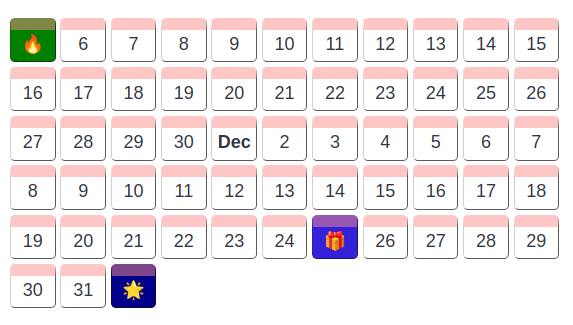
About
- Ability to change the group view; you can group events by day, week or by month
- Events can be specified in any order
- Events can be given an icon
- Focus is on readability and simplicity of content, which is why the YAML is simple in structure
How to use
Create a fenced block with the codetype joplin-plugin-event-calendar
Example with one event
```joplin-plugin-event-calendar
group: day
events:
- date: 2012-11-05
  icon: 🔥
  title: Bonfire night
  text: We have been collecting wood for a week now...
  bgColor: orange
```
Events are specified using the YAML syntax, with the following keys:
Group
group
- optional
- accepts :
day,week,month,d,w,m- default
daySets the grouping for the view
Each event has the following properties
date
- required
- accepts : yyyy-mm-dd or mm-dd-yyyy
The date of the event
icon
- optional
- accepts : string
The icon for the event
title
- required
- accepts : string
The title or heading of the event
text
- optional
- accepts : string
A more detailed description of the event
bgColor
- optional
- accepts : string
- default : random
The background color for the event container
Acknowledgements
This project was inspired by the Joplin Life Calendar Plugin